

You may be having trouble sending SMS messages through the app. This article will help you determine the issue by going through your Twilio account.
What you will need
- Twilio Account

Step 1: Go to your Twilio Account → Ensure that your ‘SID’ and ‘Auth Token’ are in place → Go to ‘Settings’ → ‘Twilio’ → and check if they have the same ‘SID’ and ‘Auth Token’.
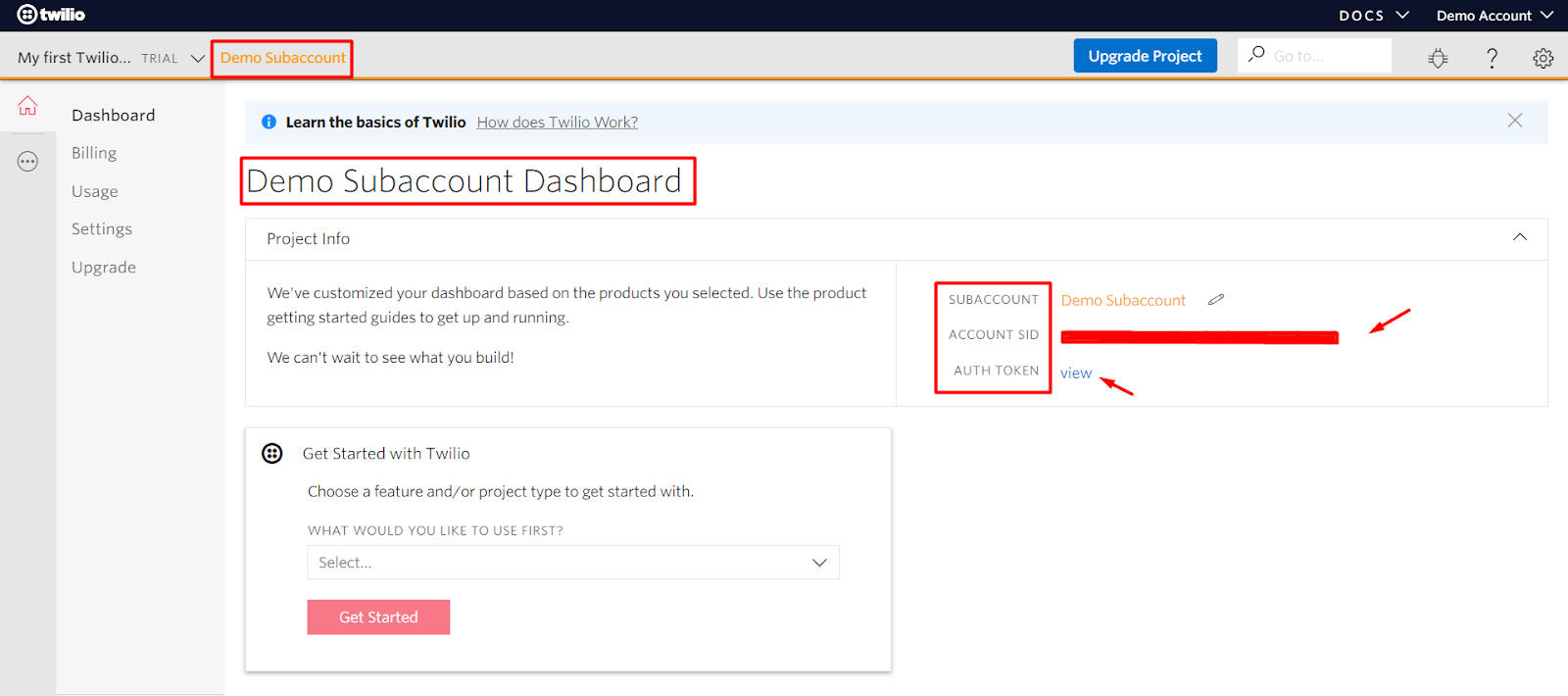
Step 2: Go to Sub-Account → check if the ‘SID’ and ‘Auth Token’ are the same

Step 3: Go to Manage number → Phone Number → Ensure that webhook URLs are correct. See GIF (since this is just a demo account, we don’t have an active number yet.